Text Styling: Advanced Formatting and Rendering Techniques
Standard plot text is usually rigid and uniform, making it difficult to highlight key takeaways or build advanced layouts. Basic text elements simply aren't built to handle complex structures like varying text formats, lists, or embedded images.
In this lesson, you’ll explore ggtext and marquee to render Markdown and rich-text directly into your plots. You’ll learn to emphasize specific words, replace clunky legends with clear descriptions, and integrate advanced elements like lists, code chunks, and images.
Before You Start 🧰
We’re using Rethink Sans again in this lesson to make these plots look their best. You should have the typeface installed by now — but if not, please install it on your system to ensure everything renders correctly in the sandbox.
🎨 More Than Just Labels
Standard ggplot2 text is a bit like an old typewriter — it does the job, but every character (within a text element) looks exactly the same.
When you want to bold a single word for emphasis, or use different colors to link your text directly to the data — essentially letting the title act as its own legend — you usually hit a wall.
Advanced text rendering is about more than just "looking pretty." It’s about visual hierarchy and guiding your audience. Here are a few examples to illustrate how it can be useful:
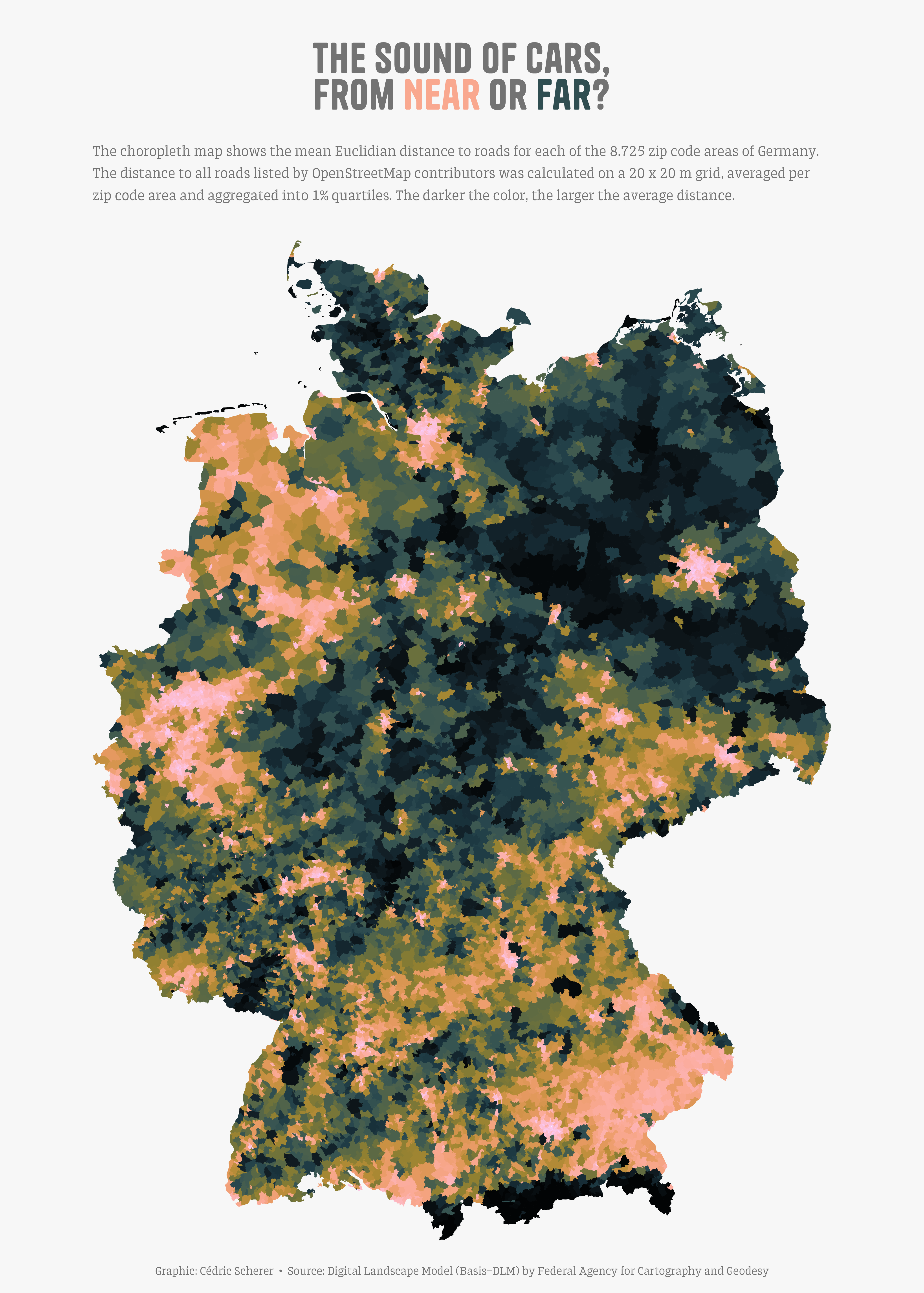
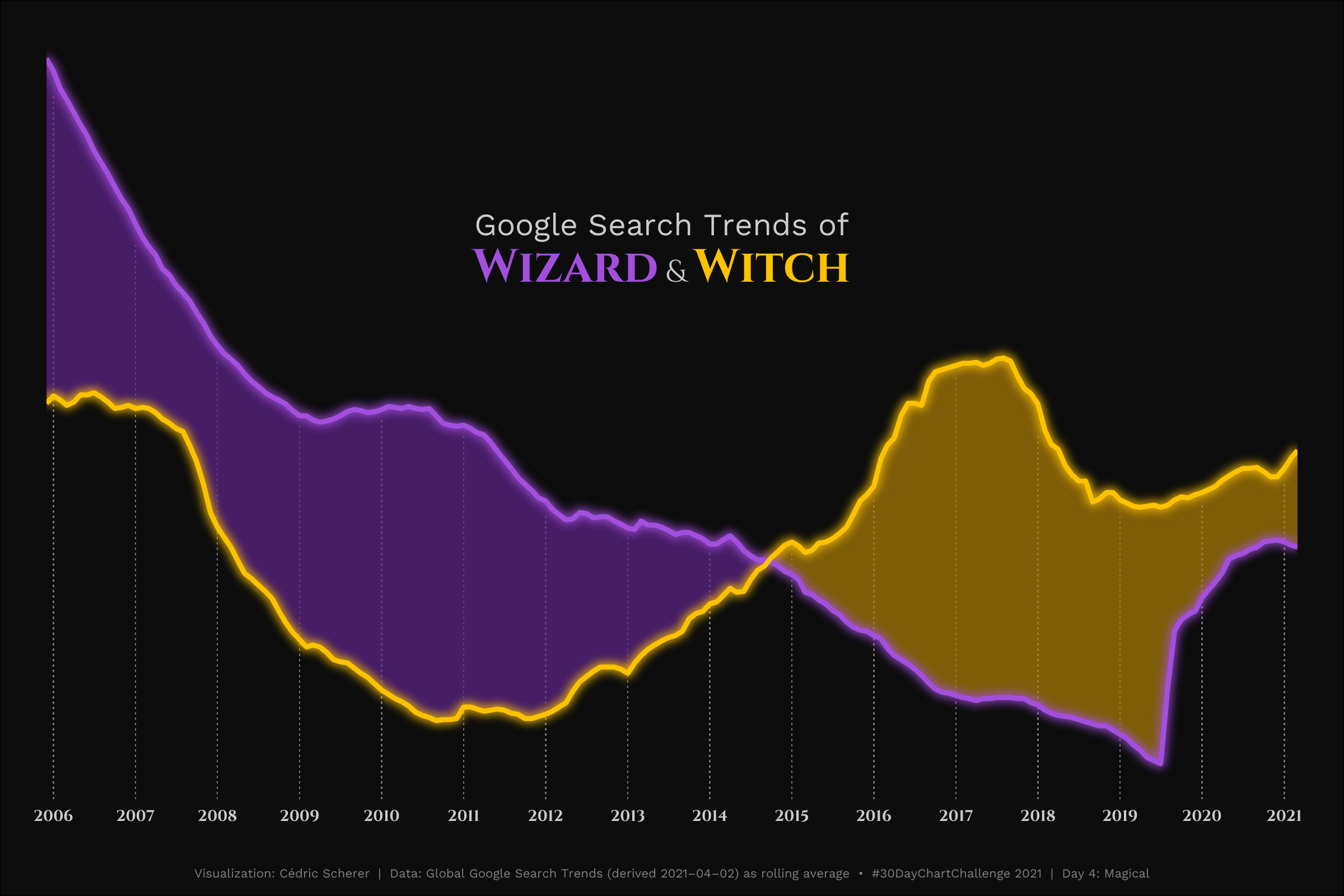
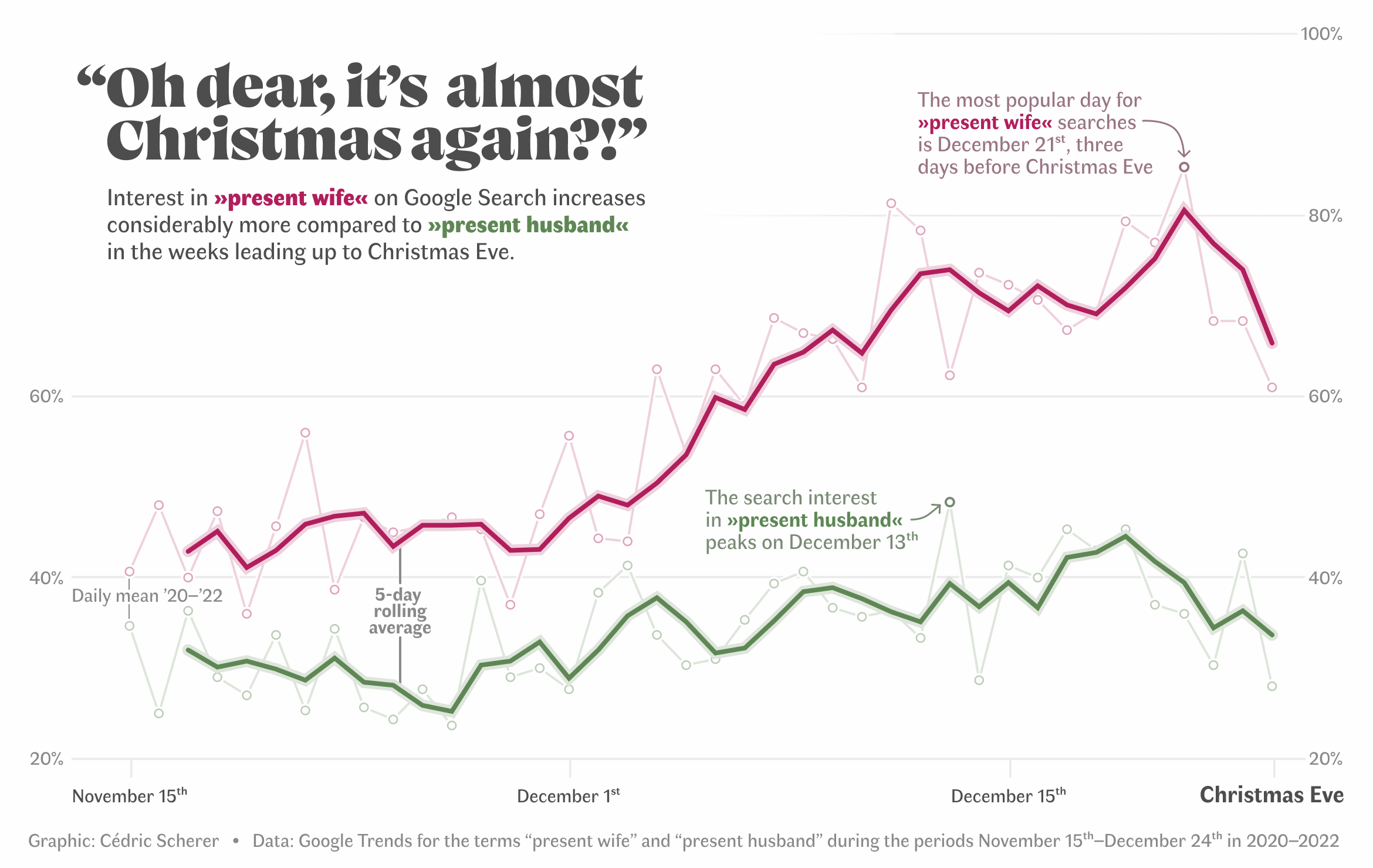
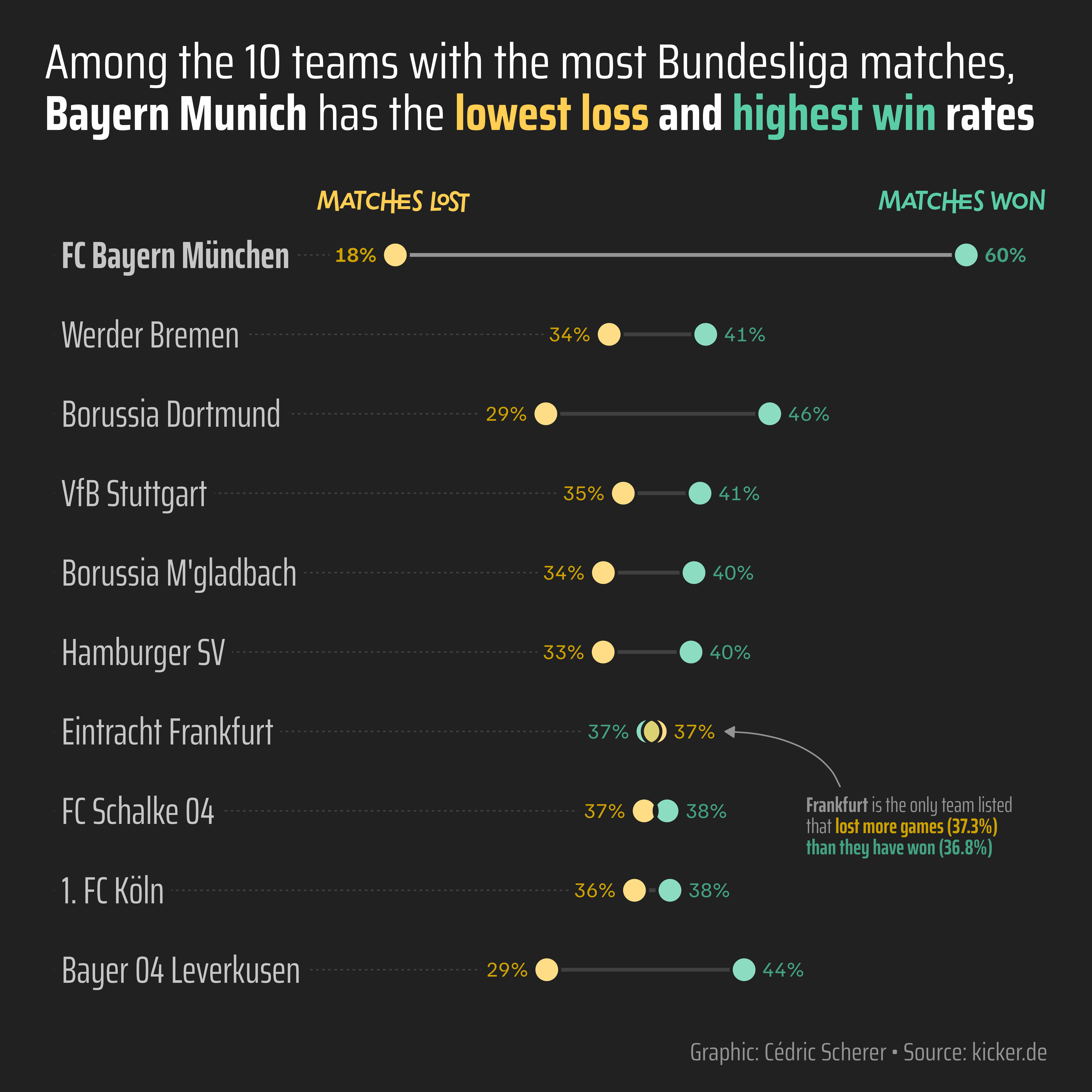
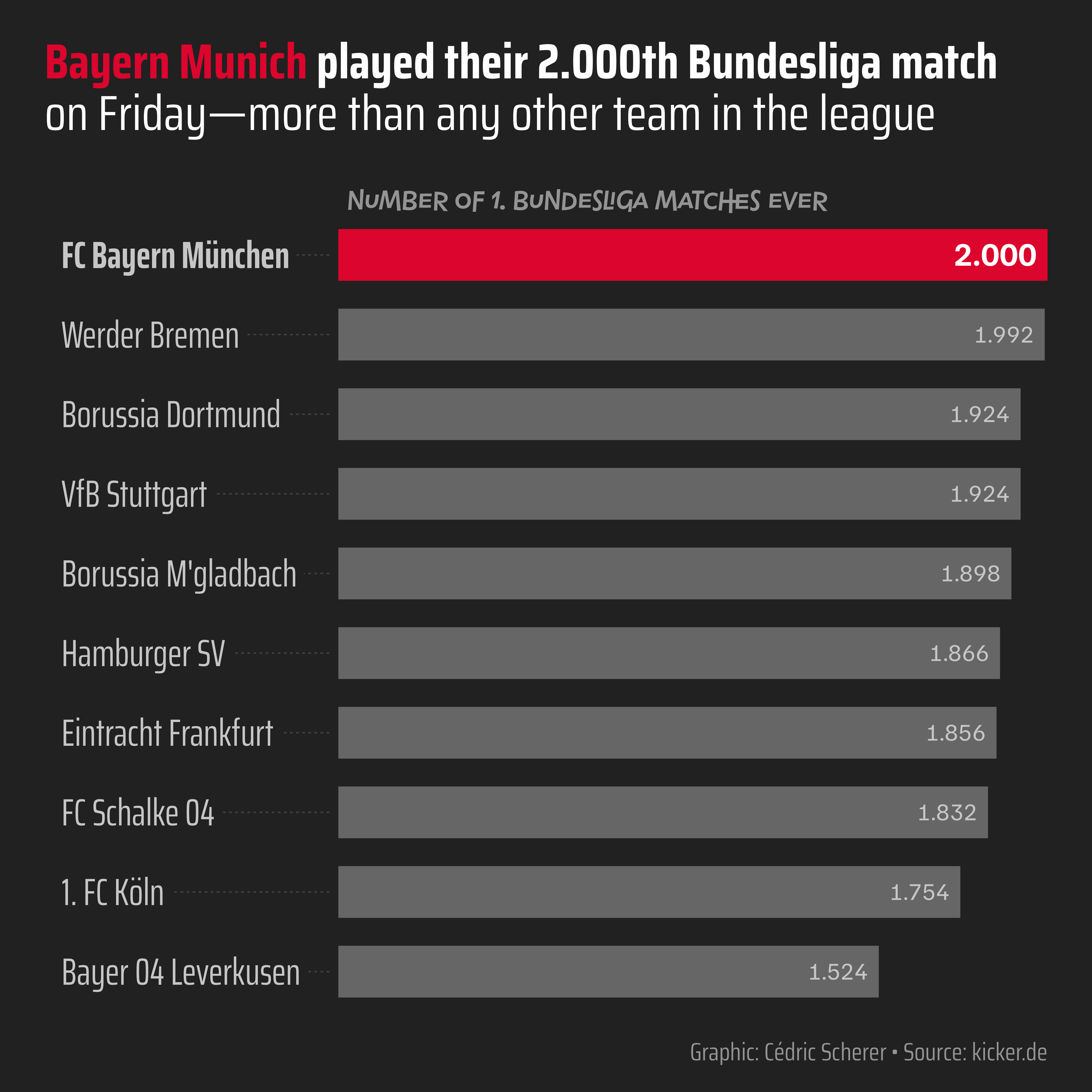
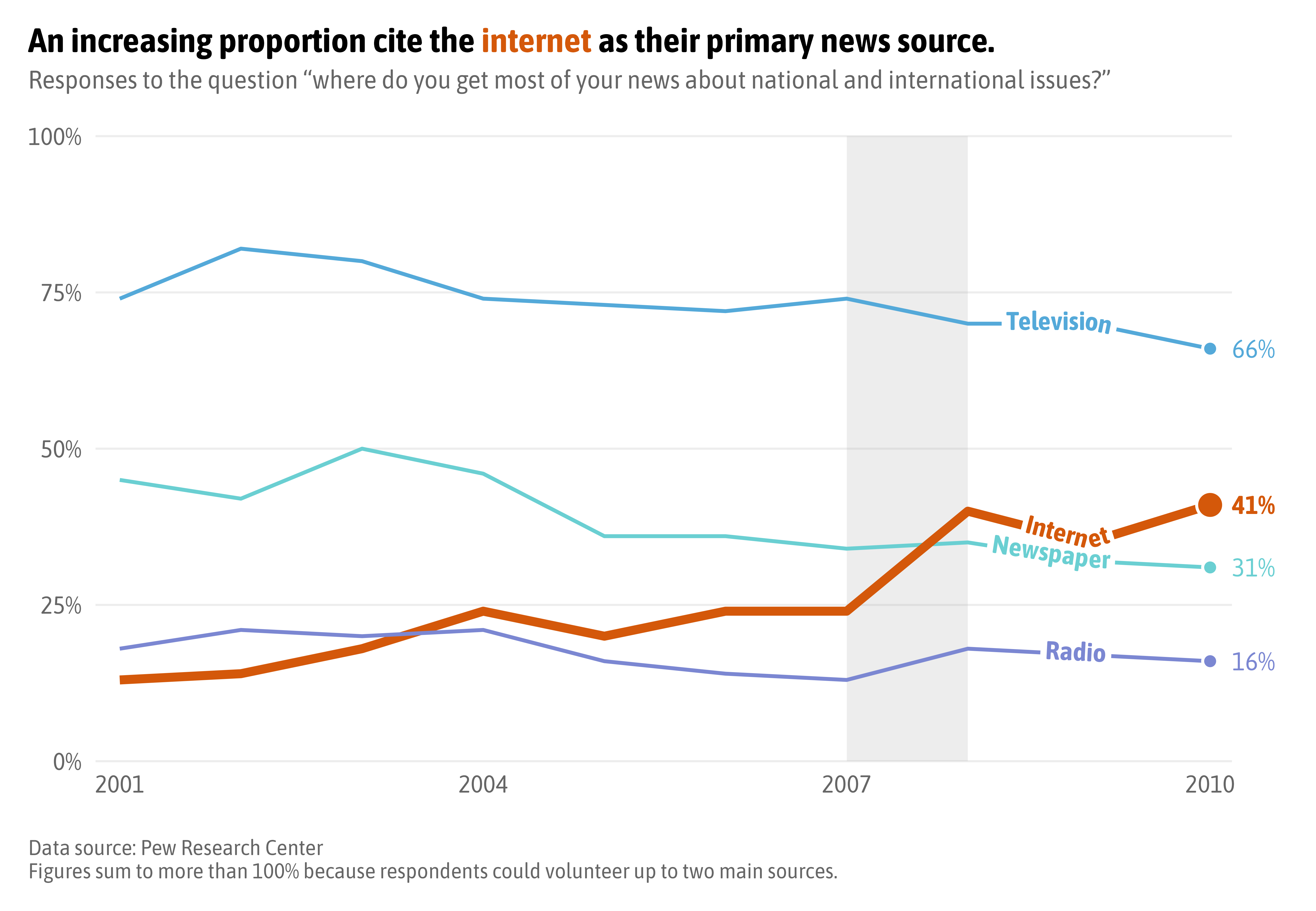
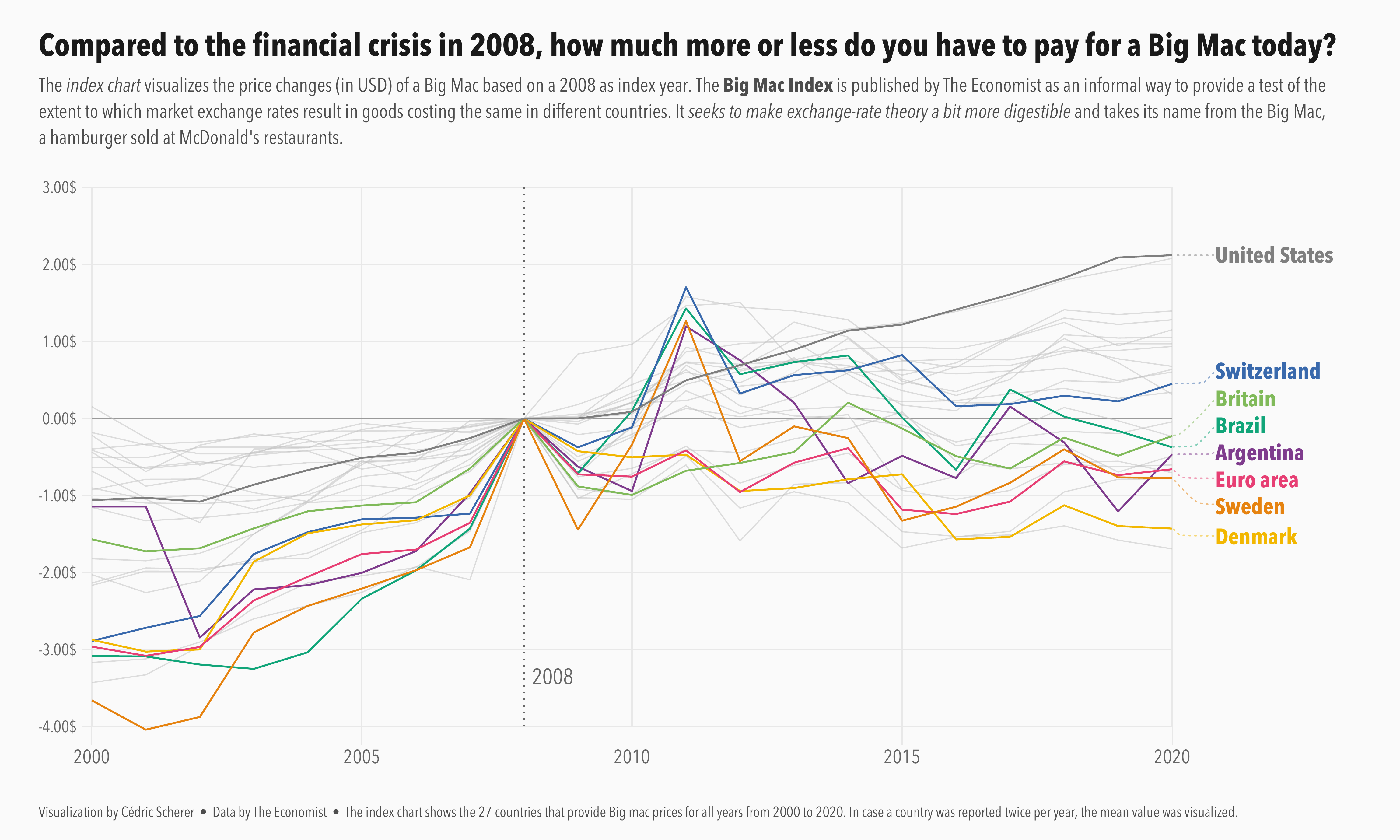
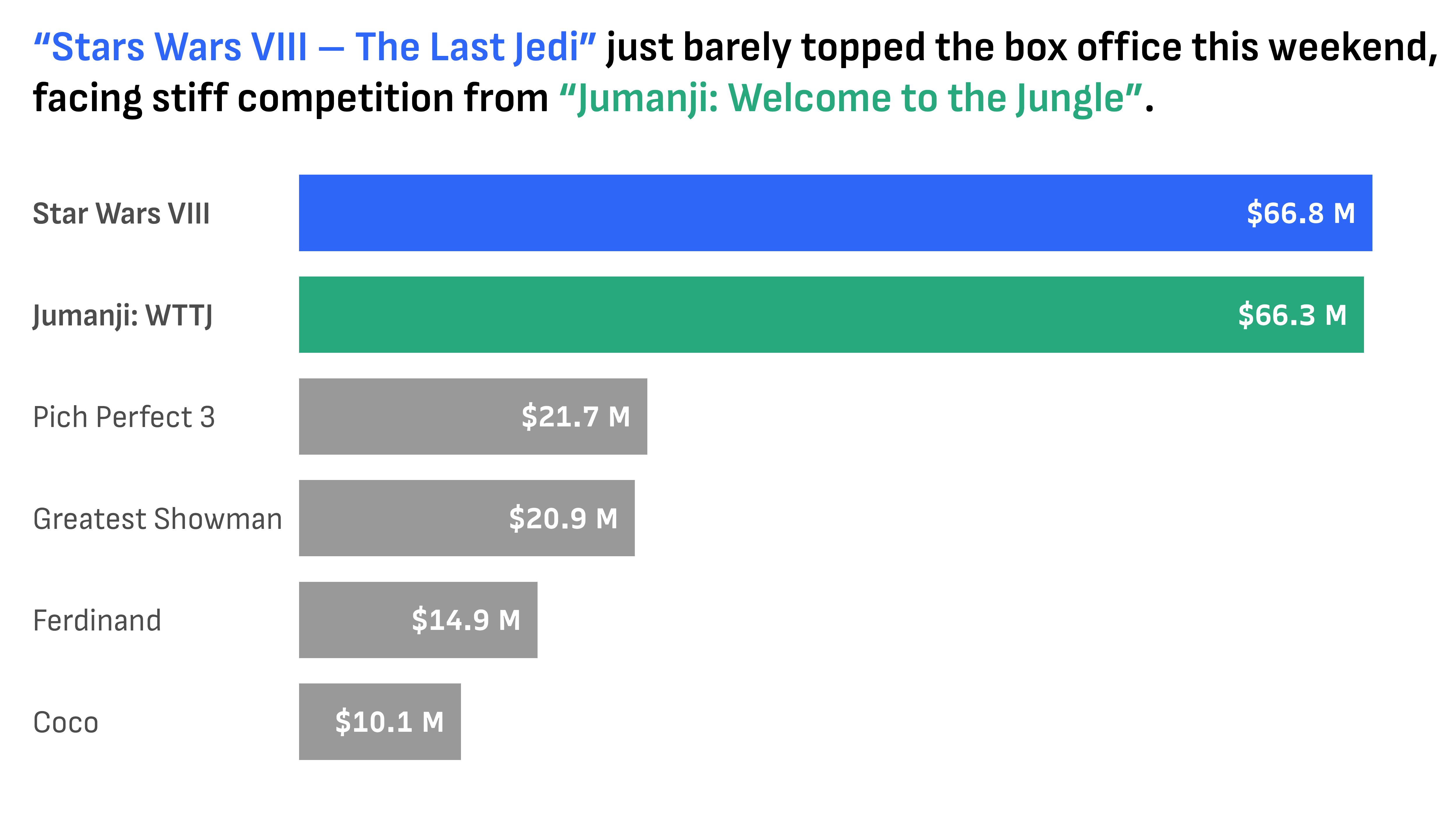
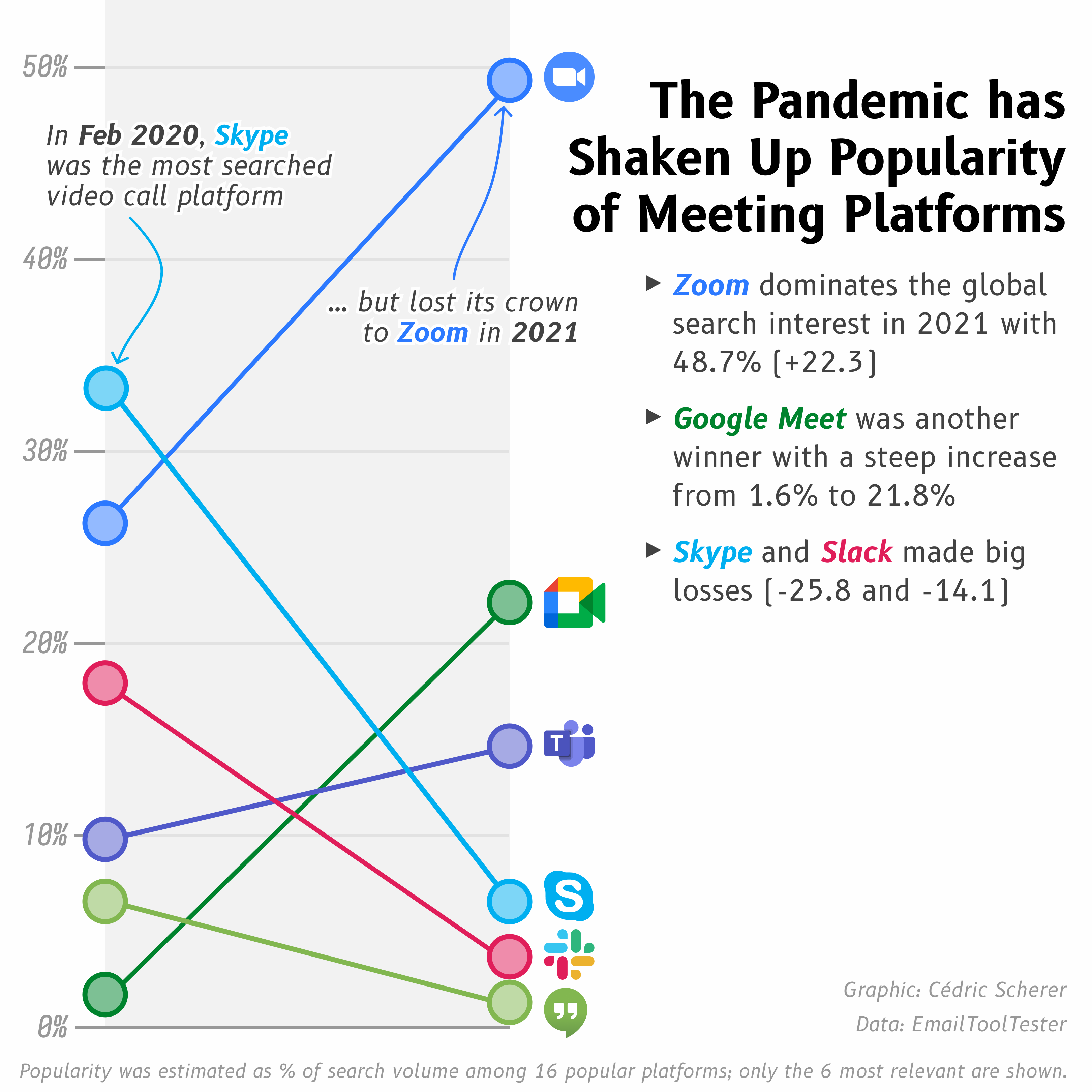
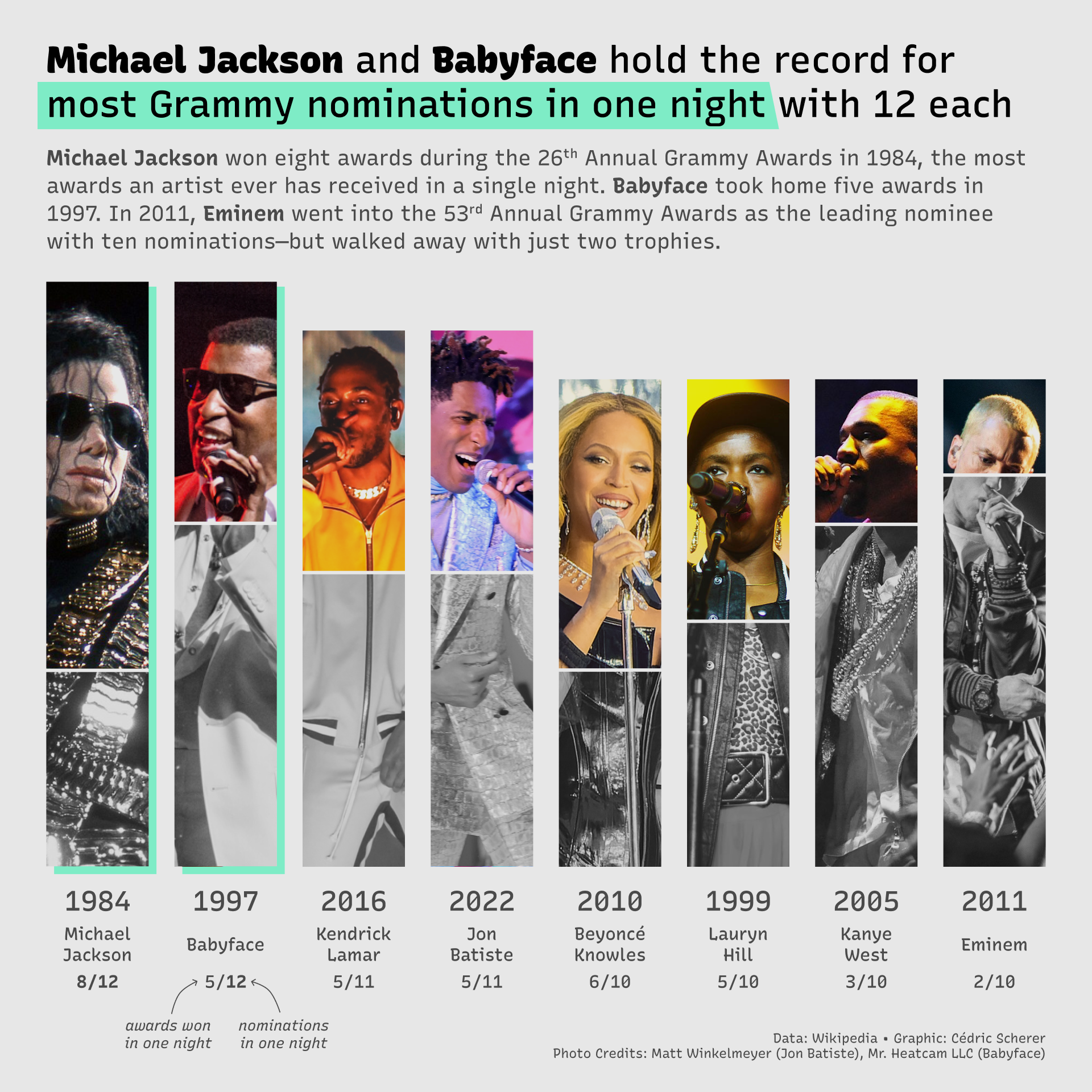
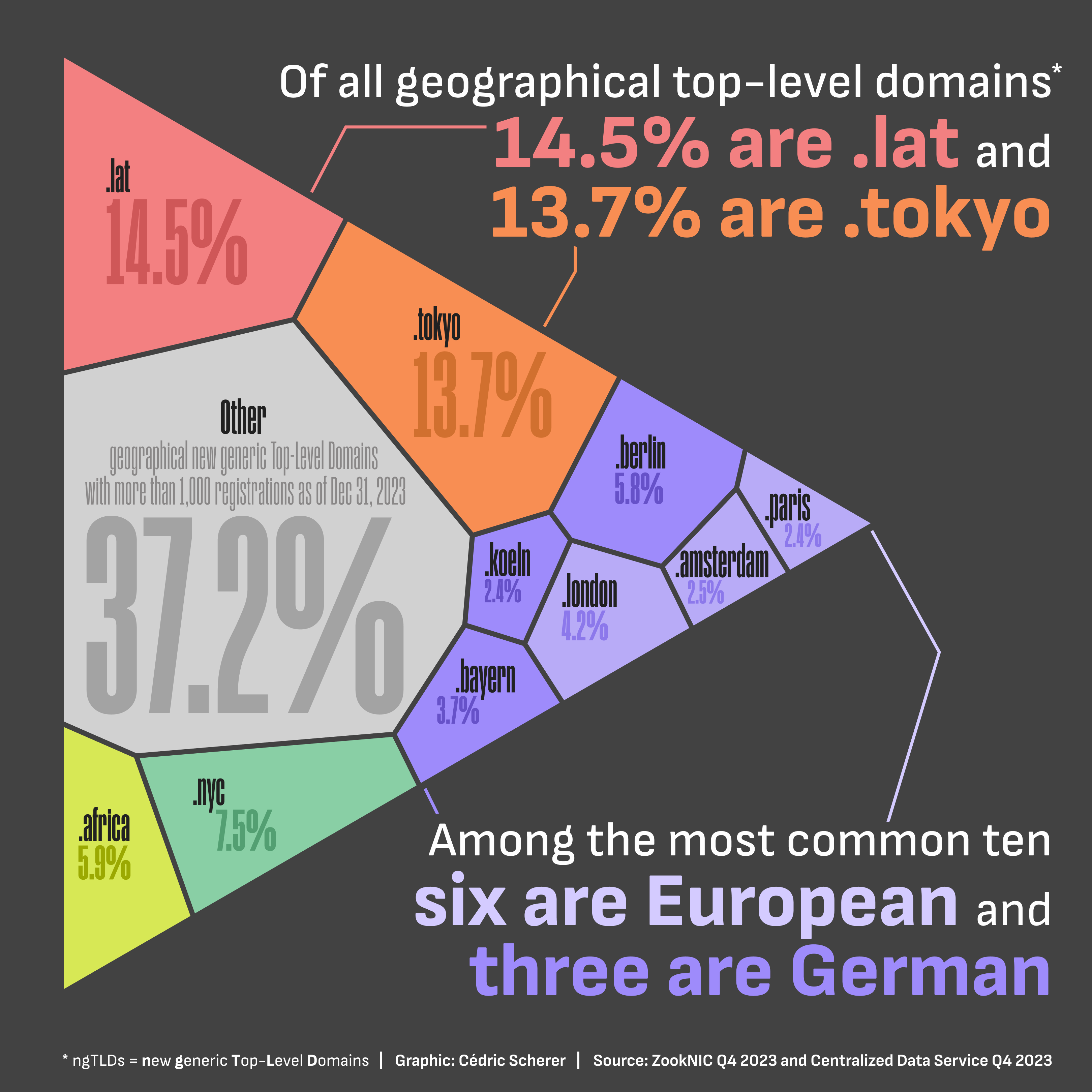
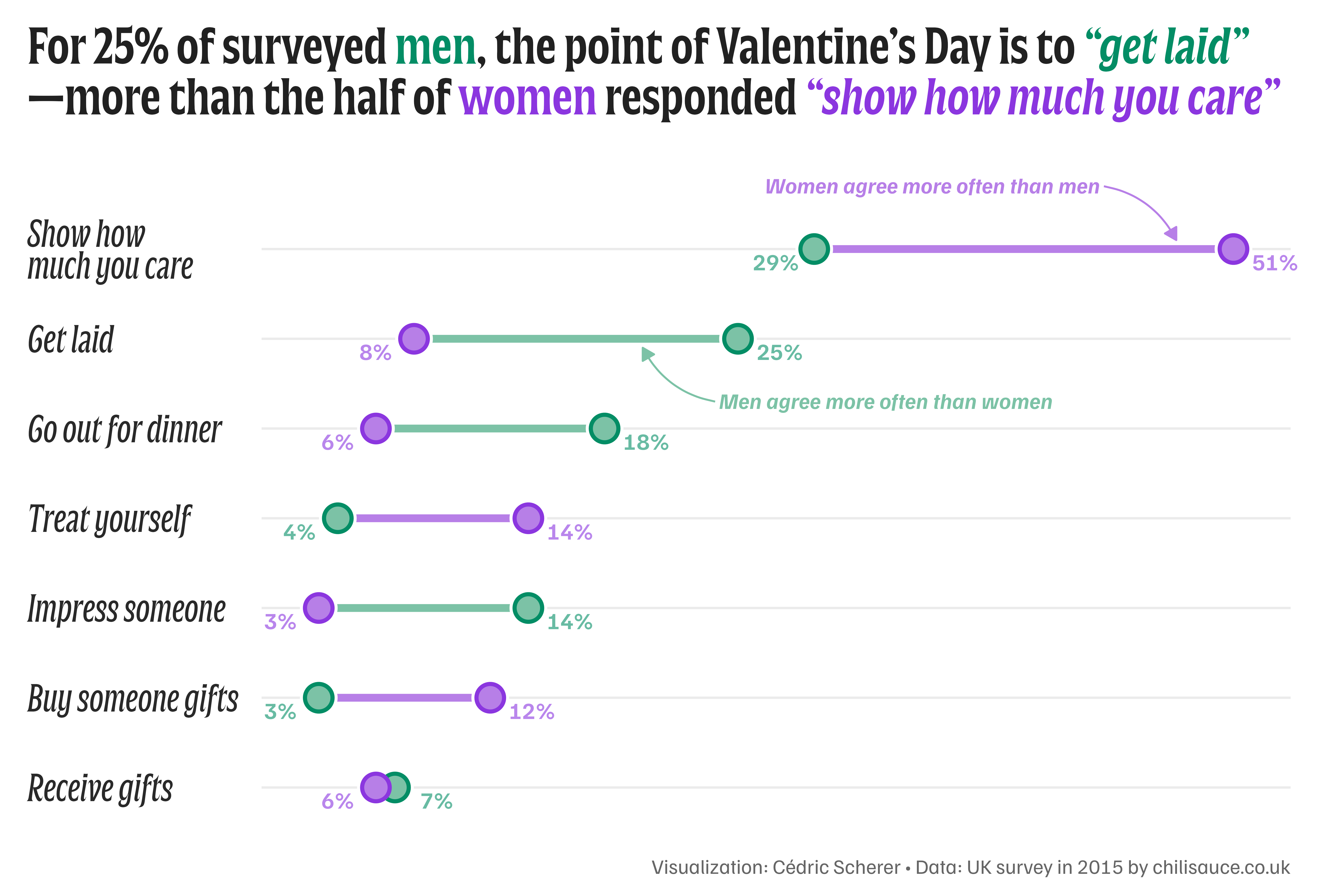
By styling specific parts of your titles or captions, you reduce the cognitive load on your viewer. Instead of hunting through a legend to see what "Red" means, they can read it directly in the title.
Today, we’re moving beyond the basics to turn your plots into self-contained stories. We’ll be using two powerhouse packages: ggtext, the established veteran of text rendering in ggplot, and marquee, the new kid on the block that brings even more layout flexibility.
🧶 Weaving with ggtext
For a long time, styling a single label with multiple colors or weights was virtually impossible. You had to hack your way through by layering different text geometries and placing them outside the panel area — a positioning nightmare. Or, for the more advanced users, mess with the underlying grob system.
Then came the ggtext package 🌄
It allows you to use Markdown and basic HTML/CSS directly inside your labels to weave complex styles into a single string.
To use it, you have to format your label accordingly and then change the respective element in theme(). By telling ggplot to use element_markdown() instead of element_text(), it suddenly understands that:
Ready to enroll? 🚀
Enroll now to unlock instant, lifetime access to every lesson, and become the ggplot2 expert your company needs!
Already enrolled? Login